
If you have a YouTube channel, you have probably heard of VidIQ. It promises to help you find better keywords, understand the algorithm, and grow your channel faster.
But is the free version enough? Or do you actually need to pay for it?
That is exactly what this post answers. After using both the free and paid versions, here is an honest breakdown of what you get, what you miss, and whether upgrading is actually worth your money in 2026.
What is VidIQ?
VidIQ is a YouTube analytics and SEO tool that helps creators:
Find keywords people are actually searching for on YouTube.
See why certain videos rank and others do not.
Analyse competitors and see what is working in your niche.
Get daily video ideas based on your channel's topic.
Understand your audience and the best time to post.
It works as a browser extension and a web dashboard. Install it once and it overlays data directly onto YouTube while you browse — showing you search volume, competition scores, and keyword suggestions in real time.
VidIQ Free vs Paid — Full Comparison
Here is exactly what you get at each level:
Free Plan — What You Actually Get
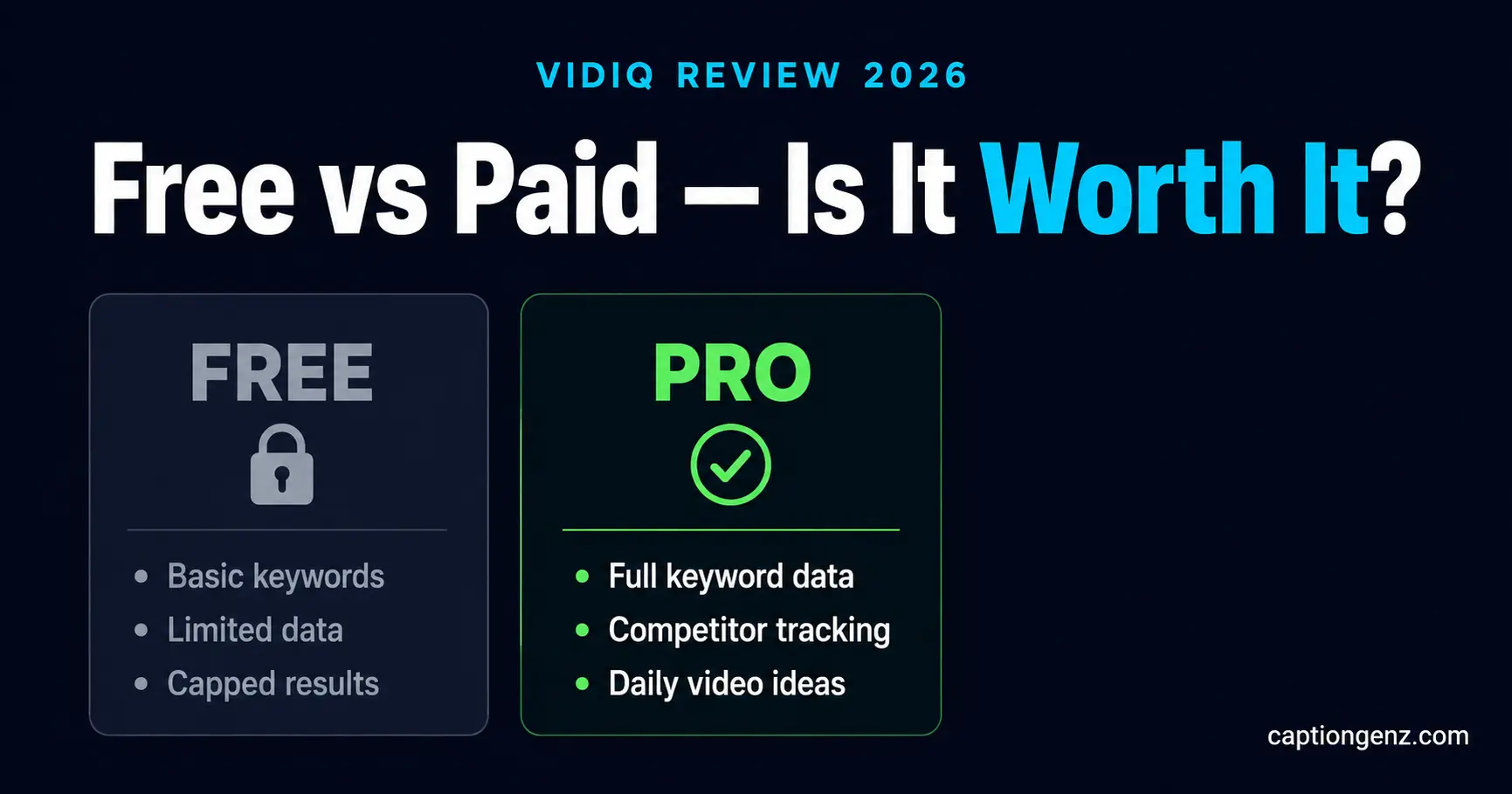
The free plan is genuinely useful for beginners. It includes:
Basic keyword research with search volume estimates.
SEO score for your videos.
Top 10 related keywords per search.
Basic competitor analysis.
Channel audit tool (limited).
YouTube trending feed.
If you are just starting out and have under 1,000 subscribers, the free plan gives you enough to improve your titles, descriptions, and tags meaningfully.
The biggest limitation is the keyword data is capped — you see estimates but not the precise numbers that help you make confident decisions.
Pro Plan (Paid) — What You Unlock
The Pro plan unlocks everything the free plan teases you with:
Unlimited keyword research with full search volume and competition data.
Competitor tracking — follow up to 20 channels and get notified when they post.
Bulk SEO tools — optimise multiple videos at once.
Daily video ideas personalised to your niche
AI title and description generator.
Best time to post based on your audience data.
Detailed channel analytics going back further in history.
VidIQ coaching — weekly tips based on your actual channel performance.
The jump in keyword data quality alone is significant. Instead of seeing "medium competition" you see exact numbers — which changes how you pick topics entirely.
The Honest Verdict — Is VidIQ Worth Paying For?
It depends on exactly where you are in your YouTube journey.
Start with free if:
Your channel has under 500 subscribers.
You are still figuring out your niche.
You are posting less than once a week.
You have zero budget right now.
The free plan will genuinely help you at this stage. Use it, learn how keyword research works, and upgrade when you are ready to get serious.
Upgrade to paid if:
You are posting consistently and want to grow faster.
You are serious about YouTube as an income source.
You want to spy on competitors and understand why their videos rank.
You want daily content ideas so you never face creative block again.
Your channel is starting to grow and you want to accelerate it.
At the Pro level, VidIQ pays for itself quickly. One video that ranks on a high-search keyword can bring thousands of views you would have missed without the data. The monthly cost is less than a single meal out.
What VidIQ Does Better Than Any Other Tool
1. Real-Time Data Overlaid on YouTube
The browser extension shows keyword scores, view velocity, and SEO scores directly on YouTube search results. You do not have to switch between tabs or copy-paste data. It is all right there as you browse.
2. Competitor Tracking
You can follow any channel — including your direct competitors — and see every video they post, what keywords they are targeting, and how fast their videos are growing. This alone is worth the upgrade for most serious creators.
3. Daily Video Ideas
Pro users get personalised video ideas every day based on trending topics in their niche. If you have ever stared at a blank page wondering what to make next, this feature ends that problem permanently.
4. AI-Powered Titles and Descriptions
VidIQ Pro includes an AI tool that generates optimised titles and descriptions based on your keyword. Combined with your own YouTube Title Generator at CaptionGenz, this gives you multiple options to pick the strongest one every time.
VidIQ Pricing in 2026
VidIQ offers three paid tiers. Pricing can vary by region so always check the latest on their site, but roughly:
Free — ₹0 forever, limited features
Pro — approximately ₹800–₹1,200/month (most creators start here)
Boost — approximately ₹2,500–₹4,000/month (for serious channels)
Max — custom pricing for large channels and agencies
For most creators reading this, Pro is the sweet spot. It unlocks everything you actually need without overpaying for enterprise features you will not use.
How to Get the Most Out of VidIQ Free Before Upgrading
If you want to try before you buy, here is how to squeeze maximum value from the free plan:
Step 1 — Install the browser extension Add it to Chrome. It immediately shows you keyword data every time you search on YouTube.
Step 2 — Run a channel audit The free audit shows you which of your existing videos have weak SEO and exactly what to fix. Do this first — optimising old videos is faster than making new ones.
Step 3 — Research 20 keywords in your niche Use the free keyword tool to find 20 topics in your niche. Note the ones with decent search volume and low competition. These become your next 20 video ideas.
Step 4 — Track 3 competitors Free plan lets you track a handful of channels. Pick your top 3 competitors and study what is working for them.
Once you have done all of this and you are posting consistently, that is the right time to upgrade.
Final Recommendation
VidIQ free is a genuine starting point — not a watered-down teaser. For beginners it provides real value at zero cost.
But if YouTube is something you want to grow seriously — as a business, as a side income, or as a full-time career — the paid plan is one of the most useful investments you can make. The keyword data, competitor tracking, and daily ideas alone will save you dozens of hours every month and help you make better content decisions every single time you sit down to create.
Try VidIQ free — no credit card required
If you decide to upgrade later, the Pro plan comes with a free trial so you can test it with zero risk before committing.
Pair VidIQ With These Free Tools
VidIQ handles your YouTube analytics and SEO. For everything else — writing titles, generating scripts, planning content — these free tools from CaptionGenz have you covered:
YouTube Title Generator — generate high-CTR titles in seconds
Video Script Generator — full video scripts written by AI
Content Calendar Generator — plan your entire month of content in minutes
Viral Hook Generator — write the perfect opening line for every video
All completely free. No login required.